
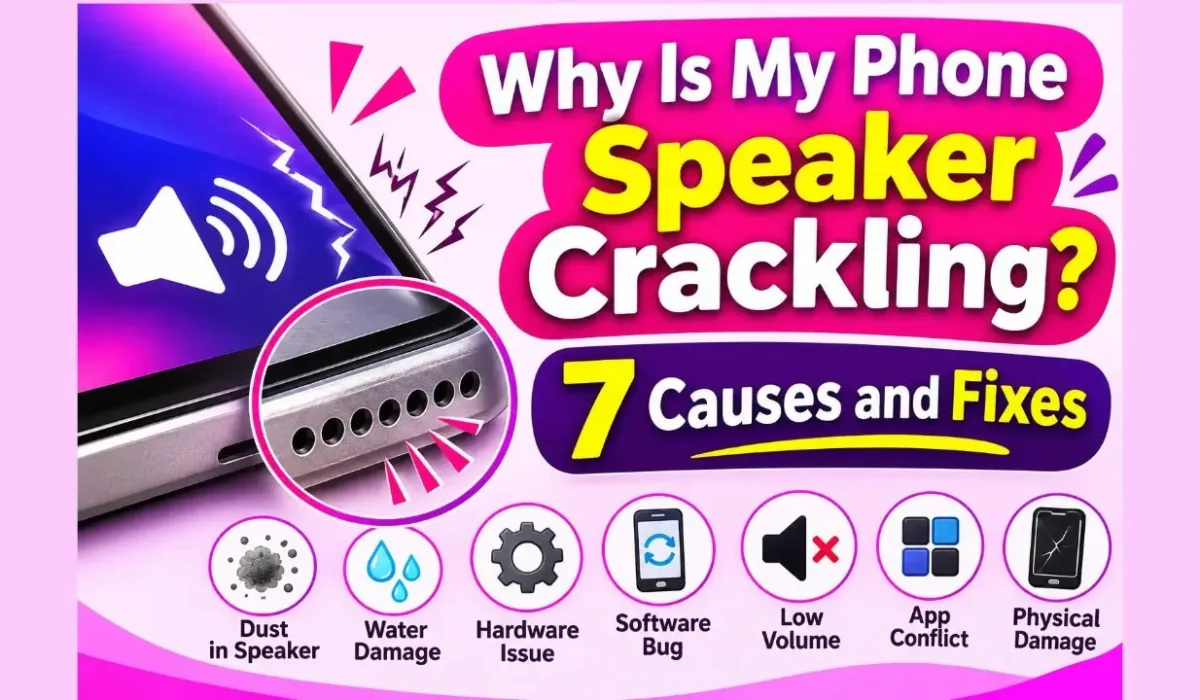
Why Is My Phone Speaker Crackling? 7 Causes and Fixes
Your phone speaker crackles mainly because of dust, water, high volume, software glitches, or a damaged speaker. Most of these causes are easy to fix at home in a few minutes. You can find the exact cause by running a speaker test, cleaning the grille, and checking your sound settings.
This guide explains the 7 most common causes of a crackling phone speaker and gives clear step-by-step fixes for each one, on both Android phones and iPhones.
What Does a Crackling Phone Speaker Sound Like?
A crackling speaker produces popping, buzzing, static, or fuzzy sounds that interrupt clean audio. It can happen during calls, music, videos, games, or ringtones.
Common signs include:
- Popping or static noise during music or calls
- Buzzing on bass sounds
- Voices sounding scratchy or harsh
- Crackling that gets worse at high volume
- Sound breaking up randomly
- Crackling only on speaker mode
- Muffled audio mixed with noise
Before you fix anything, notice when the crackling happens. This helps you find the cause faster.
How to Confirm the Problem First
Run a speaker test to confirm that the crackling comes from your phone speaker and not from one app or audio file. A clean test tone makes crackling easy to hear.
- Open an online speaker test in your phone browser.
- Set the volume to about 50 percent.
- Play the test tones and listen carefully.
- Raise the volume slowly and note when crackling begins.
- Test the left and right channels separately.
If the test is clean, the problem is in a specific app or file. If the test crackles, continue with the causes below.
Check your phone speaker for crackling with the free Speaker Test tool.
Cause 1: Volume Is Too High
Playing audio at maximum volume makes the speaker cone move beyond its limit, which creates crackling and distortion. Small phone speakers cannot handle full power cleanly, especially with bass-heavy sounds.
How to fix it:
- Lower the volume to about 70 percent.
- Play the same audio and listen again.
- If the sound becomes clean, the speaker was being overdriven.
- Use headphones or an external speaker when you need more loudness.
Cause 2: Dust and Lint in the Speaker Grille
Dust, pocket lint, and dirt block the speaker opening and cause rattling, muffled sound, and crackling. This is very common on phones that are carried in pockets or bags every day.
How to fix it:
- Turn off the phone.
- Gently brush the grille with a soft, dry brush or clean toothbrush.
- Hold the phone with the speaker facing down and tap it lightly to release loose dust.
- Wipe the surface with a microfiber cloth.
- Turn the phone on and run the speaker test again.
Never use pins, needles, or toothpicks. They can tear the speaker mesh and cause permanent damage.
Cause 3: Water or Moisture Inside the Speaker
Water trapped in the speaker grille disturbs the cone and produces crackling and muffled sound. This can happen after rain, a splash, a bathroom, sweat, or high humidity. Even a small amount of moisture can cause noise.
How to fix it:
- Wipe the outside of the phone with a dry cloth.
- Place the phone with the speaker facing down on a soft cloth.
- Play a speaker cleaner sound for one to two minutes. It uses low-frequency vibration to push water and dust out of the grille.
- Wipe away any water that comes out.
- Repeat if the crackling continues, then let the phone dry in open air.
Push out water and dust with the free Speaker Cleaner tool.
Cause 4: Sound Effects, Equalizer, or Bass Boost
Extreme equalizer and bass boost settings overload small speakers and cause crackling. These settings push low frequencies too hard for the tiny speaker inside a phone.
How to fix it:
- Android: Open Settings, go to Sound and vibration, and open Sound effects or Dolby Atmos. Turn off bass boost and equalizer presets.
- iPhone: Open Settings, go to Music, and set EQ to Off. Also turn off Sound Check if needed.
- Check any music app for its own equalizer and reset it to flat.
- Play audio again and test.
Cause 5: Software Glitch or Outdated System
A temporary bug or old system software can break audio processing and cause crackling. This often appears after an update or when the phone has been running for many days without a restart.
How to fix it:
- Restart the phone: power off, wait 30 seconds, and turn it on.
- Open Settings and check for a software update.
- Install the update and restart again.
- Update the app that has the problem from the app store.
- Test the sound again.
Cause 6: Poor Audio File or Problem App
Low-quality or heavily compressed audio, and buggy apps, can crackle even when your speaker is perfectly healthy. If crackling happens only in one app, video, or file, the speaker is probably not the problem.
How to fix it:
- Play different songs, videos, and apps.
- If only one source crackles, clear that app’s cache from phone settings.
- Update or reinstall the app.
- Try a higher-quality version of the audio file.
- Try a different browser if the sound is bad only on websites.
Cause 7: Damaged Speaker or Loose Connection
A torn speaker cone, a burned voice coil, or a loose internal connection causes permanent crackling. This usually happens after a hard drop, long-term water exposure, or years of heavy use.
Signs of hardware damage:
- Crackling stays after cleaning and restarting
- The speaker test crackles at every volume level
- Sound cuts in and out when you press on the phone body
- Crackling began right after a drop or water damage
How to fix it:
- Complete all the fixes above first.
- Check whether the phone is under warranty and contact the manufacturer.
- Visit a trusted repair shop to replace the speaker module.
- Use headphones in the meantime.
How to Tell Which Cause You Have
Match your symptoms to the cause to save time.
- Crackles only at high volume: too much volume or bass boost
- Muffled and crackling: dust or water in the grille
- Crackling after getting wet: moisture inside the speaker
- Crackling in one app only: app or audio file problem
- Crackling after a software update: software glitch
- Crackling at all volumes even after cleaning: hardware damage
What Not to Do
- Don’t keep playing audio at maximum volume while it crackles.
- Don’t use sharp objects to clean the speaker.
- Don’t blow into the speaker with your mouth.
- Don’t use a hairdryer on high heat near the phone.
- Don’t put a wet phone in rice. It does not work reliably and can leave dust inside.
- Don’t open the phone yourself unless you have repair experience.
Frequently Asked Questions
Why does my phone speaker crackle only at high volume?
The speaker is being pushed beyond its limit. Lower the volume and turn off bass boost to get cleaner sound.
Can water cause a phone speaker to crackle?
Yes. Water inside the grille disturbs the speaker cone and produces crackling. A speaker cleaner sound can push the water out.
How do I fix a crackling speaker without repair?
Lower the volume, turn off sound effects, clean the grille, remove water with a speaker cleaner, update the software, and restart. These steps fix most cases.
Is a crackling phone speaker dangerous?
It is not dangerous, but continuing to play loud audio can damage the speaker further. Fix the cause early.
Why does my speaker crackle during calls?
It can be due to a blocked earpiece grille, low network signal, or a software bug. Clean the grille, restart the phone, and test with a different call.
Will a factory reset fix speaker crackling?
It may fix software-related crackling, but it will not fix dust, water, or hardware damage. Try the simpler fixes first and back up your data before any reset.
Conclusion
A crackling phone speaker usually comes from high volume, dust, moisture, sound settings, software glitches, bad audio files, or hardware damage. Start by running a speaker test, then lower the volume, turn off effects, clean the grille, and remove water with a speaker cleaner. Visit a repair shop only if the crackling remains after every step.
Start with the two quickest checks: